

Dashcam Guides

Understanding the Importance of Backup Systems for Vehicles
Best Dashcams with Cloud Storage – Expert Comparison 2025
Exploring the 7 Different Types of Dash Cameras for Your Vehicle
So, you're thinking about getting a dash cam for your car? That's a smart move, honestly. Accidents happen, and sometimes even when you're just parked, things can go wrong. Dash cams can give you proof, which is super helpful for insurance or if something gets stolen. But walking into a store or browsing online, you'll see there are a bunch of different types of dash camera out there. It can get a little confusing trying to figure out which one is right for you, whether you're just commuting daily or managing a whole fleet of vehicles. Let's break down the different kinds and what to look for.
Key Takeaways
Single lens dash cams are basic, good for just recording the road ahead.
Dual lens cameras capture both the front and inside or rear of your vehicle, offering more coverage.
360-degree dash cams provide a full view around your car, ideal for fleets or maximum coverage.
Specialized dash cams offer features for specific uses like ride-sharing or fleet management.
When choosing, think about your daily driving needs, long trips, and your budget to find the best fit.
Understanding Basic Dash Camera Types
When you start looking into dash cameras, you'll quickly see there are several different dash camera models out there, each designed for a slightly different purpose. It’s not just one-size-fits-all, which is good because it means you can find something that really fits what you need.
Single Lens Dash Cameras
These are the most common and usually the most straightforward. A single lens dash cam typically records just the view in front of your vehicle. Think of it as your car's forward-facing eye. They're great for capturing what happens on the road directly ahead, which is often the most important footage in case of an accident. They're generally easy to install and don't take up much space, making them a popular choice for everyday drivers who want basic protection.
Pros: Simple to use, affordable, captures front-view footage.
Cons: Only records the front, misses anything happening behind or inside the car.
Dual Lens Dash Cameras
If you want a bit more coverage, a dual lens dash cam is the next step up. These have two cameras. Usually, one records the front, and the second one can be positioned to record either the rear of your vehicle or the interior. This is super handy if you want to have evidence of what's happening behind you, or if you're a rideshare driver and need to document interactions with passengers. It gives you a more complete picture of events.
Front and Rear: Captures both what's ahead and behind.
Front and Interior: Records the road ahead and inside the cabin.
Pros: More comprehensive recording, better for rear-end incidents or passenger monitoring.
Cons: Can be a bit more complex to install, might cost more than single-lens models.
360-Degree Dash Cameras
Now, for the ultimate in coverage, you have 360-degree dash cameras. These are like having multiple cameras all rolled into one unit, or sometimes a main unit with satellite cameras. They aim to capture everything happening around your entire vehicle – front, back, sides, and even blind spots. This kind of all-around recording is especially useful for fleet management or for drivers who want to be absolutely sure no angle is missed. They offer a panoramic view of your surroundings.
Coverage: Records in all directions around the vehicle.
Use Cases: Ideal for fleets, commercial vehicles, or those seeking maximum situational awareness.
Pros: Complete visual record of the vehicle's surroundings.
Cons: Typically the most expensive, can be more complicated to set up and manage.
Choosing the right type really depends on what you want to record and why you need a dash cam in the first place. Don't overbuy if you just need basic front-view footage, but don't skimp if you need that extra layer of security for your whole vehicle.
Exploring Specialized Dash Camera Options
Beyond the standard front-facing cameras, there's a whole category of specialized dash cameras designed for specific jobs. If you're driving for a living, like with ride-sharing or in a taxi, or if you manage a fleet of vehicles, these options offer features you won't find on basic models. They're built to handle more demanding situations and provide extra layers of data.
Dash Cameras for Ride-Sharing and Taxis
For drivers in the ride-sharing or taxi industry, an interior camera is often a must-have. These cameras can record what's happening inside the cabin, which can be super helpful if there's ever a dispute with a passenger or for your own safety. Some setups even offer dual-lens functionality, capturing both the road ahead and the inside of your car simultaneously. This gives you a more complete picture of any incident. When looking at these, think about models that offer good low-light performance for the interior camera, as cabins can get pretty dark.
Fleet Management Dash Cameras
Managing a fleet of vehicles is a whole different ballgame. Fleet management dash cameras often come with advanced features like GPS tracking, which lets you see exactly where each vehicle is at any given time. They can also include driver behavior monitoring, alerting you to things like speeding or harsh braking. Some systems even offer geofencing, which can notify you if a vehicle leaves a designated area. These vehicle camera system options are really about efficiency and accountability for businesses. You'll often find these are more robust and designed for continuous operation.
Dash Cameras with Advanced Driver Monitoring
These are the high-tech options. Advanced Driver Assistance Systems (ADAS) and Driver Monitoring Systems (DSM) are becoming more common. ADAS features might include things like lane departure warnings or forward collision alerts, acting as an extra set of eyes on the road. DSM systems focus on the driver, sometimes using interior cameras to monitor for signs of drowsiness or distraction. These systems are designed to actively help prevent accidents before they happen. If you're looking for the absolute best dash cam models with a focus on proactive safety, these are worth investigating.
Key Features to Consider in Dash Cameras
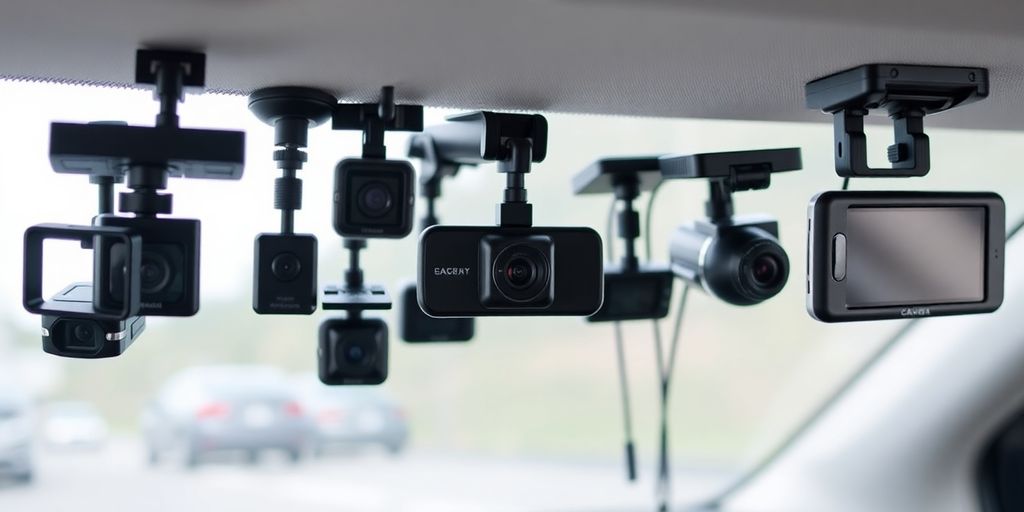
When you're looking at dash cams, it's easy to get lost in all the different features. But really, a few stand out as being super important for getting the most out of your camera. Think about what you actually need it for, and then pick the features that match.
Parking Mode Functionality
This is a big one if you're worried about what happens when your car is just sitting there. Parking mode means the camera keeps an eye out even when the engine is off. It can usually detect bumps or movement right around your car and start recording automatically. This is great for catching hit-and-runs or vandalism while you're parked. Some cameras have different levels of parking mode, like motion detection or impact detection, so you can choose what works best for you.
Cloud Storage Capabilities
Normally, dash cams save footage to an SD card. But what if that card gets damaged in an accident, or someone takes it? Cloud storage is a neat solution. It means your recordings can be sent straight to the internet, so you have a backup copy safe somewhere else. This is really handy if you need to access footage later or if something happens to the camera itself. It's like having an extra layer of security for your video evidence.
Ease of Installation and Use
Let's be honest, nobody wants a complicated setup. You want a dash cam that's pretty straightforward to install, ideally without needing a degree in engineering. Look for cameras that come with clear instructions and simple mounting options. The interface should also be easy to figure out – you don't want to be fumbling with buttons and menus when you're trying to drive. Some even connect to your phone, which makes managing recordings a breeze.
Night Vision and Resolution Quality
This is where the actual video quality comes in. You need a camera that can capture clear footage, not just in bright daylight, but also when it's dark or raining. Good resolution, like 1080p Full HD or even 4K, helps you see details like license plates. And for nighttime, you'll want a camera with decent night vision, often using infrared, so you can still see what's going on even in low light. It's no good having a camera if you can't make out what happened because the video is too grainy or dark.
Picking the right features really comes down to your personal needs and how you use your car. Don't just buy the most expensive one with every single bell and whistle if you're only going to use it for your daily commute. Focus on what matters most to you, like clear video, reliable parking security, or easy access to your footage.
Dash Camera Technology for Enhanced Safety
Dash cameras have really come a long way, and now they offer a bunch of tech that can seriously boost your driving safety. It's not just about recording accidents anymore; these gadgets can actively help you avoid them.
Safety Alerts and Lane Departure Warnings
Some dash cams now include features that mimic what you find in newer cars. Think about lane departure warnings – if you start drifting out of your lane without signaling, the camera can give you a heads-up. Similarly, forward collision warnings can alert you if you're getting too close to the car in front. While they might not be as sophisticated as a car's built-in system, they're still a good extra layer of awareness. These are some of the key dash camera features explained that can make a difference.
Interior Camera Recording
This is a big one, especially for folks driving for ride-sharing services or taxis. Having a camera that records the inside of your vehicle is super useful. It can help settle disputes with passengers or provide evidence if something goes wrong inside the car. It’s a smart way to protect yourself and document any unusual behavior. The benefits of a front and rear dash camera are clear, but an interior view adds another dimension.
Motion Detection Features
Motion detection is another handy feature, particularly when your car is parked. If the camera detects movement around your vehicle while it's off, it can start recording. This is great for catching vandals or someone who might hit your car and drive away. It’s a solid way to get evidence for insurance claims or police reports. Understanding these dash cam features explained can help you pick the right one.
Choosing the Right Dash Camera for Your Needs
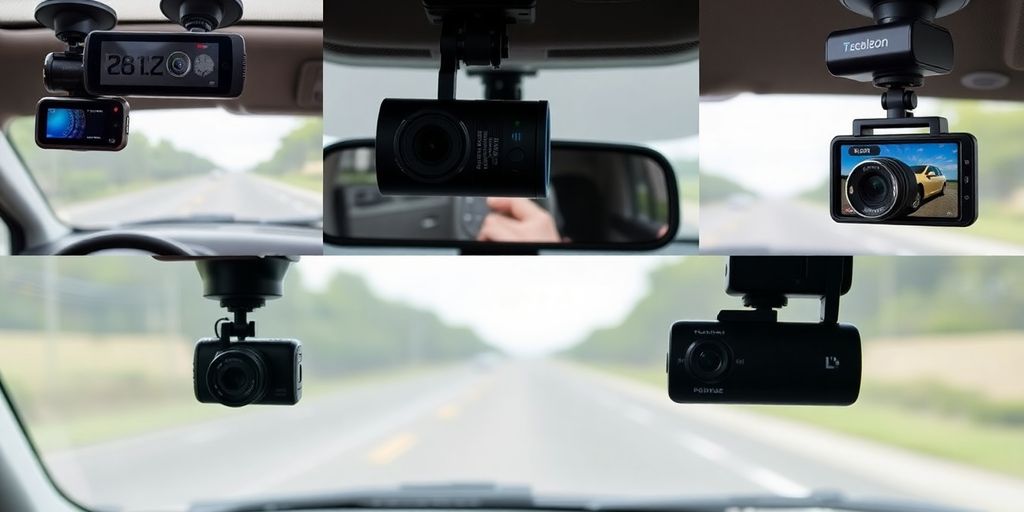
So, you've decided a dash cam is a good idea. That's smart. But now comes the tricky part: figuring out which one is actually right for you. It's not just about picking the cheapest or the one with the most blinking lights. We need to think about what you actually do with your car.
Assessing Your Daily Commute Requirements
If your car mostly sees action during the daily grind – getting to work, running errands, maybe the occasional weekend trip to the grocery store – you probably don't need a super high-end, feature-packed unit. A solid single-lens dash cam that records clear video in HD should do the trick. Look for something that's easy to set up and use, maybe with loop recording so you don't have to worry about running out of space. The goal here is reliable eyewitness footage without a lot of fuss.
Selecting Cameras for Long Trips
Now, if you're the type who loves hitting the open road for extended periods, your needs change a bit. You'll want a dash cam that can capture a lot of detail, especially if you're driving in varying light conditions. Think about cameras with higher resolutions, like 1080p or even 4K, and a wider field of view – something around 120 degrees or more is good. Features like good night vision and GPS logging (to record your route and speed) become much more important here. Parking mode is also a good idea, just in case something happens while you're parked at a hotel or rest stop.
Matching Features to Your Budget
Let's talk money. Dash cams can range from under $50 to well over $200. It's a good idea to set a budget before you start looking. Generally, you can expect:
$50 - $100: Basic models with essential recording features. Good for simple peace of mind.
$100 - $200: Mid-range options offering better video quality, wider fields of view, and maybe some extra features like parking mode.
$200+: High-end units with top-tier video resolution, advanced driver assistance features, and often cloud connectivity.
Think about what features are non-negotiable for you and see what fits within your price range. Sometimes, spending a little more upfront can get you a much more reliable and capable device. It’s all about finding that sweet spot for how to choose a dash camera that works for your wallet and your driving habits.
Installation and Placement of Dash Cameras
Getting your dash camera set up right is pretty important, and honestly, it can be a bit of a mixed bag depending on the model. Most of them stick to your windshield, but you gotta make sure it's not blocking your view of the road, you know?
If you're going for front and rear dash camera systems, it gets a little more involved. You'll have cables running from the front all the way to the back, and sometimes you have to tuck them under the car's ceiling liner. It can be a bit fiddly, but it's usually doable.
Here’s a quick rundown of what you’ll likely need:
Dash cam unit
Power cable
Mounting hardware (suction cup or adhesive)
Trim tool (handy for hiding wires)
Your dash cam's manual
The best spot for most dash cams is right behind your rearview mirror. This way, it gets a good view of everything without getting in your way. Make sure the horizon looks about right in the frame – usually in the upper third of the picture.
When it comes to power, you have a couple of choices. You can just plug it into your car's cigarette lighter socket, which is super easy. But, if you want all those fancy parking mode features to work, you might need to hardwire it into your car's electrical system. This is a bit more advanced, and if you're not comfortable with car electrics, it's probably best to get a professional to do it. Just make sure they include a low-voltage cutoff so it doesn't drain your car battery.
Keeping the wires tidy is key. Tuck them along the edges of the windshield and door frames. Loose wires can be a distraction or just look messy.
After you've got it all mounted and wired up, give it a quick test drive. Check that the angle is good and the video looks clear. It’s worth the few extra minutes to make sure it’s working perfectly.
Getting your dash cam set up and put in the right spot is super important for it to work well. We've got easy tips to help you find the perfect place for your camera. Want to learn more about the best ways to install your dash cam? Visit our website for a complete guide!
Wrapping Up Your Dash Cam Decision
So, there you have it. Picking out a dash cam might seem a bit much at first, with all the different types and features out there. Whether you just want to keep an eye on your daily drive, need solid proof for insurance, or manage a whole fleet of vehicles, there's a dash cam designed for that. Think about what you really need it for – is it just the road ahead, or do you need to see inside the car too? Consider how much you want to spend and how easy you need the setup to be. By looking at what each type offers, you can find the right camera to give you that extra bit of security and peace of mind on the road.
Frequently Asked Questions
What exactly is a dash cam and why would I want one?
Think of a dash cam as a small video camera you put on your car's windshield. It records what happens while you're driving. This can be super helpful if you get into an accident because you'll have video proof of what happened. It's like having an extra witness for your car!
Are all dash cams the same, or are there different types?
There are a few main kinds. Some only record the road in front of you (single lens). Others record the front and the inside of your car, or the front and the back (dual lens). Then there are 360-degree ones that see everything around your car, which are great for businesses with lots of vehicles. Some are even made for specific jobs like taxis.
Can a dash cam record when my car is turned off?
Yes, many dash cams have a 'parking mode.' This means they can still record if someone bumps your car or tries to break in while it's parked. They usually start recording if they sense movement or a bump, giving you video evidence of what happened.
How do I choose the best dash cam for my car?
When picking a dash cam, think about what you need it for. If it's just for your daily drive, a simple front-facing one might be enough. If you take long road trips or want to record everything, a dual-lens or 360-degree camera might be better. Also, consider how clear the video is, especially at night, and if it has features like GPS.
How do I set up a dash cam in my car?
You can plug it into your car's power outlet, which is easy. For more advanced features, like the parking mode working all the time, you might need to 'hardwire' it. This means connecting it directly to your car's fuse box. It's a bit more work, but it makes sure the camera is always ready.
Where's the best place to put a dash cam, and how do I manage the wires?
Most people put their dash cam behind the rearview mirror so it doesn't block their view. You can use a sticky mount or a suction cup mount. It's important to make sure the camera's view isn't blocked by anything, and you'll want to hide the wires neatly so they don't get in the way.
Demystifying Dash Cams: A Comprehensive Guide on How Dash Cams Work
So, you're curious about dash cams and how they actually work? It's not as complicated as it might seem. These little cameras are becoming super common in cars, and for good reason. They can be really helpful, whether it's for proving what happened in an accident or just keeping an eye on things. We'll break down the tech, what makes a good one, and how to use them.
Key Takeaways
Dash cams capture video using a lens and image sensor, processing the data to create recordings.
Video quality matters, so look for good resolution and frame rates, plus night vision and wide-angle views.
Dash cams record continuously or when an event is detected, often using a G-sensor to sense impacts.
Storage is usually on a microSD card, and many cams connect to phones via Wi-Fi for easy access to footage.
Dash cams provide video evidence for accidents, deter fake claims, and can help monitor driving safety.
Understanding Dash Cam Technology
So, you're curious about how these little gadgets actually work, right? It's not magic, though sometimes it feels like it when you see a dash cam capture something wild. At its heart, a dash cam is basically a small, specialized video camera designed to record what happens in front of, and sometimes behind, your vehicle while you're driving. Think of it as your car's personal security guard, always on duty.
Core Components of Dash Cam Operation
Every dash cam, no matter how fancy or basic, is built from a few key parts that work together. You've got the main brain, which is the processor that handles all the video data. Then there's the image sensor, which is like the eye of the camera, and the lens that focuses the light onto that sensor. Don't forget the storage, usually a microSD card, where all the footage gets saved. And of course, there's the power source, typically plugged into your car's cigarette lighter or wired directly into your car's electrical system.
Image Sensor: Captures the light and converts it into an electrical signal.
Lens: Focuses light onto the image sensor.
Processor: Manages data, compression, and camera functions.
Storage (microSD Card): Records and saves the video files.
Power Supply: Provides electricity to operate the device.
How Dash Cams Capture Video
Capturing video is pretty straightforward, but the quality can really vary. Light enters through the lens and hits the image sensor. This sensor then turns that light into digital information. The processor takes this raw data, compresses it (so it doesn't take up too much space), and saves it as a video file onto the microSD card. Most dash cams record in a continuous loop, meaning when the card is full, it starts overwriting the oldest footage. This is super handy because you don't have to manually delete old videos.
The real trick is how they manage to record clear video, even when you're moving fast or it's dark out. It's all about the quality of the components and how they're put together.
The Role of Sensors and Lenses
The lens is what gathers the light. Different lenses have different 'fields of view,' which is how wide an area the camera can see. A wider field of view means you capture more of the road and surroundings, which is generally better for a dash cam. The image sensor is the part that actually creates the picture. Larger sensors and better quality sensors can capture more detail and perform better in low light. Think of it like the difference between a cheap disposable camera and a professional DSLR – the sensor and lens make a huge difference in the final image quality.
Key Features That Define Dash Cam Performance
When you're looking at dash cams, a few things really make a difference in what you get. It's not just about having a camera rolling; it's about the quality of that footage and what else it can do.
Video Resolution and Frame Rate Explained
Think of resolution like the sharpness of a picture. Higher resolutions, like 1080p (Full HD) or even 1440p and 4K, mean you'll see more detail. This is super helpful if you need to read a license plate or see a small sign in your video. Frame rate, on the other hand, is about how smooth the video looks. It's measured in frames per second (fps). A higher fps, like 60fps, makes motion look really fluid, which is great for catching fast events. However, higher resolutions and frame rates use up more storage space, so it's a bit of a trade-off.
Resolution |
Common Name |
Detail Level |
|---|---|---|
1920x1080 |
Full HD (1080p) |
Good detail, standard for many cams |
2560x1440 |
Quad HD (1440p) |
Sharper than 1080p, better for license plates |
3840x2160 |
4K Ultra HD |
Highest detail, but uses most storage |
Night Vision and Low-Light Capabilities
Driving at night or in bad weather can be tricky, and that's where night vision comes in. Most dash cams have some form of low-light capability. This usually involves sensors that are better at picking up light or infrared LEDs that can illuminate the scene. Good night vision means you can still make out important details like road signs, other vehicles, and potential hazards even when it's dark. It's not like a Hollywood movie scene, but it's enough to make the footage useful.
Field of View and Wide Dynamic Range
Field of view (FOV) tells you how much the camera can see. A wider FOV, often measured in degrees (like 140° or 170°), means the camera captures more of the road ahead, including the sides. This is good for getting a broader picture of what's happening around you. Wide Dynamic Range (WDR) is another important feature. It helps the camera handle situations where there's a big difference between the brightest and darkest parts of the scene, like driving out of a tunnel. WDR balances these extremes so you don't lose detail in either the bright sky or dark road.
WDR helps balance out bright and dark areas in your footage, making it easier to see details in challenging lighting conditions like sunrise or sunset driving.
Here's a quick rundown of what to look for:
Wide Field of View: Aim for at least 140 degrees to capture more of the road.
WDR: Look for this feature to handle bright sunlight and dark shadows.
Good Low-Light Performance: Check reviews for how well the camera performs after dark.
Recording Modes and Incident Detection
Dash cams aren't just passively recording all the time, though some do. They often have different ways of capturing footage, depending on what's happening.
Continuous Recording vs. Event-Triggered Recording
Most dash cams can be set to record continuously. This means as soon as you turn on your car, the camera starts rolling and keeps going until you turn the car off. It's like a constant video diary of your drive. This is great for getting the full picture of any journey, but it does use up storage space pretty quickly. You'll need a decent-sized microSD card to handle this kind of constant recording.
Then there's event-triggered recording. This is where the dash cam gets a bit smarter. It's always on standby, but it only saves footage when something out of the ordinary happens. Think sudden braking, a sharp turn, or, unfortunately, a collision. This is usually thanks to a built-in G-sensor, which we'll talk about more in a bit. By only saving these specific moments, it saves a lot of storage space and makes it easier to find important clips later on. The main difference is that continuous recording captures everything, while event-triggered focuses on the significant moments.
Utilizing Parking Mode for Surveillance
Parking mode is a really neat feature that turns your dash cam into a security guard for your car when you're not even there. When the car is parked and turned off, the dash cam usually goes into a low-power state. But if it detects any movement or a jolt – like someone bumping into your car or trying to break in – it automatically wakes up and starts recording. This is super helpful for catching hit-and-run drivers or vandalism. Some systems can even detect impacts while parked, giving you footage of what happened. It's a great way to keep an eye on your vehicle when you can't be there yourself.
G-Sensor Technology for Impact Detection
The G-sensor, or accelerometer, is the brains behind the event-triggered recording and parking mode features. It measures the forces acting on the dash cam, specifically in three directions: forward/backward, up/down, and left/right. When it detects a sudden change in motion – like a jolt from hitting a pothole, hard braking, or a collision – it registers this as an impact. This impact signal tells the dash cam to immediately save the current recording and the few minutes leading up to it. This is important because it prevents that crucial footage from being overwritten by the continuous recording loop. It's like the dash cam's built-in alarm system for sudden events.
Storage and Connectivity Options
So, you've got your dash cam all set up, recording all the action on the road. But what happens to all that video? That's where storage and connectivity come into play. It’s not just about having the camera; it’s about how you manage the footage it captures.
Understanding MicroSD Card Requirements
Most dash cams use microSD cards to save your videos. Think of it as the camera's digital notebook. The type and size of card you need can really matter. You'll want a card that's fast enough to keep up with the video recording, especially if you're shooting in high definition. Also, dash cams are always writing new data, overwriting the old stuff in a loop. This constant writing means you need a card that's built for endurance, not just for taking photos.
Here’s a quick rundown on what to look for:
Class 10 or UHS-I/UHS-3: These speed ratings mean the card can write data quickly, which is important for smooth video.
High Endurance Cards: These are specifically designed for constant writing and rewriting, like what dash cams do. They'll last a lot longer than regular cards.
Capacity: Most cams work with cards from 32GB up to 256GB or even more. More space means you can store more footage before it starts overwriting.
It's a good idea to check your dash cam's manual for the specific card types and sizes it supports. Using the wrong kind could lead to errors or the camera not working right.
The Benefits of Wi-Fi and Smartphone Integration
Some newer dash cams come with built-in Wi-Fi. This is pretty handy because it lets you connect the camera directly to your smartphone. Why is this cool? Well, you can use an app to view live footage, change settings without fiddling with tiny buttons on the camera itself, and download videos straight to your phone. It makes managing your footage a whole lot easier, especially if you need to save a clip quickly after an incident.
Easy Access: View and download footage on the go.
Convenient Settings: Adjust camera options from your phone's screen.
Firmware Updates: Some apps allow you to update your dash cam's software wirelessly.
It really cuts down on the hassle of removing the microSD card and plugging it into a computer.
GPS Logging for Location Data
Many dash cams also include GPS logging. When this feature is on, the camera records your vehicle's location along with the video. This can be super useful. If you're ever in an accident or dispute, having the exact location where something happened can be important evidence. It adds another layer of detail to your recordings, showing not just what happened, but also where it happened. The GPS data is usually embedded in the video file itself or saved as a separate log file that you can view on a map using the dash cam's software on your computer.
Dash Cam Design and Installation
When you're looking at dash cams, the physical design and how you get it set up in your car are pretty important. It's not just about the video quality; you also want something that looks good and works well without being a hassle.
Discreet vs. Feature-Rich Designs
Dash cams really come in two main flavors when it comes to their look and feel. Some are made to be super small and blend in, almost disappearing behind your rearview mirror. These are great if you don't want anything obvious drawing attention to the camera. The trade-off is that these often don't have a screen, so you'll need to use your phone or computer to see what you've recorded. On the other hand, you have the more feature-rich models. These tend to be a bit bigger, often with a built-in LCD screen, usually between 1.5 to 3 inches. Having a screen makes it really easy to adjust settings on the fly or review footage right there in your car. It's a trade-off between a low-profile look and immediate convenience.
Mounting Your Dash Cam for Optimal View
Getting the mount right is key to making sure your dash cam actually captures what you need it to. Most cams come with either a suction cup mount or an adhesive mount. The general idea is to stick it to your windshield, usually behind the rearview mirror. This spot gives you a clear, forward-facing view of the road ahead. You've got to be careful not to put it so low that it blocks your own view of the road, which is obviously not safe. It's a good idea to play around with the position a bit to find that sweet spot where it sees everything important without getting in your way.
Powering Your Dash Cam System
How you power your dash cam is another detail to sort out. Most cameras get their power from your car's 12V accessory socket, like where you'd plug in a phone charger. Some higher-end models might have options to hardwire directly into your car's fuse box. This can be a cleaner look, hiding the wires, and it also allows for features like parking mode to work without draining your car battery. If you plan on using parking mode, which keeps the camera recording even when the car is off, you might need a special power adapter or a battery pack to avoid running down your car's battery. It's worth checking what power options are available for the model you're considering.
Choosing the right dash cam involves balancing its physical design and how it integrates into your car with its recording capabilities. Think about whether you prefer a hidden unit or one with a convenient screen, and how you'll power it, especially if you want to use parking mode features. Getting the mounting and power sorted correctly means your dash cam will be ready when you need it.
Dash Cams as Evidence and Safety Tools
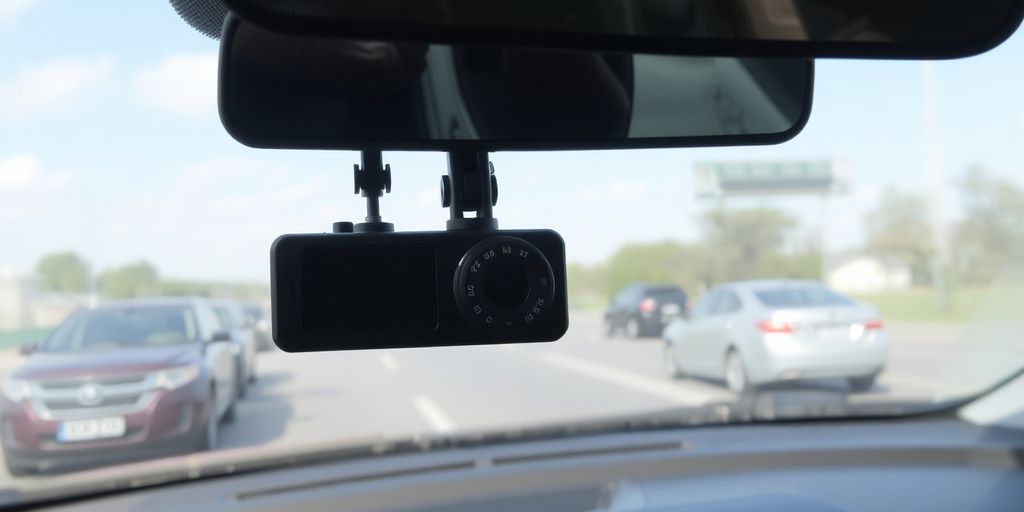
Dash cams aren't just fancy gadgets for your car; they're actually pretty important tools for both proving what happened on the road and keeping everyone safer. Think of them as your car's independent witness.
Providing Evidence in Accidents and Disputes
When you're in a fender bender, or even a more serious crash, figuring out who's at fault can get messy. People remember things differently, or sometimes, they just don't tell the whole truth. This is where your dash cam footage becomes gold. It's a clear, unbiased record of what actually went down.
Resolving Liability: Dash cam video can quickly show if someone ran a red light, cut you off, or failed to yield. This makes it much easier for insurance companies to sort out who's responsible, cutting down on those annoying "he said, she said" arguments.
Speeding Up Claims: Instead of waiting for witness statements or police reports that might take ages, you can often submit dash cam footage right away. This can help your insurance claim move along much faster.
Protecting Against False Accusations: If someone tries to blame you for something you didn't do, like claiming you rear-ended them when they slammed on their brakes for no reason, your dash cam can prove your innocence.
Having dash cam footage can turn a potentially costly and time-consuming dispute into a straightforward resolution. It's like having a reliable witness who never forgets.
Deterring Fraudulent Claims
Unfortunately, some people try to scam the system by staging accidents, often called "crash for cash" schemes. They might deliberately cause a collision, like braking suddenly in front of you, and then claim you were at fault. Dash cams are a huge help in stopping this. The clear video can show that the other driver caused the accident, protecting you and the insurance companies from these dishonest claims. This also helps keep insurance premiums lower for everyone.
Enhancing Driver Safety and Behavior Monitoring
Beyond just accidents, dash cams can also encourage better driving habits. Knowing that their driving is being recorded can make drivers more mindful of things like speeding, harsh braking, or distracted driving.
Promoting Safer Driving: Drivers tend to be more careful when they know they're being watched, leading to fewer risky maneuvers.
Identifying Training Needs: Footage can highlight areas where a driver might need extra coaching, like improving their cornering technique or how they handle merging.
Protecting Drivers: In situations where a driver is wrongly accused or faces a difficult situation on the road, the footage serves as protection for them too.
Ultimately, dash cams are a powerful tool that provides objective evidence, helps prevent fraud, and can even contribute to making our roads a safer place for all drivers.
Wrapping It Up: Your Dash Cam Journey
So, we've gone over how these little cameras work, from capturing video to storing it. Picking the right one can feel like a lot, but think about what you really need. Do you want super clear video, or is something basic okay? Maybe you want it to record when parked, or perhaps a camera that sees both front and back is more your style. Don't forget to check out what other people say about different models before you buy. Getting a dash cam is a smart move for peace of mind on the road. It’s a tool that can really help you out, whether it’s proving you weren’t at fault in an accident or just keeping an eye on things when you’re away from your car. Take your time, find one that fits your driving life, and you’ll be glad you did.
Frequently Asked Questions
What exactly is a dash cam and why would I need one?
A dash cam is like a small camera for your car that records everything you see while driving. It's super helpful if you get into an accident because it can show exactly what happened. This video can be used as proof, saving you a lot of trouble with insurance and legal stuff.
What are the most important things to look for when buying a dash cam?
Think about how clear the video is – can you see license plates easily? Also, check if it records well even when it's dark outside. Features like a wide view to see more of the road and a special mode for when your car is parked are really useful too. Some even connect to your phone, which is pretty neat.
Where's the best place to put a dash cam in my car?
Most people stick them on the windshield, usually right behind the rearview mirror. This spot gives the camera a clear view of the road ahead without getting in your way. You just need to make sure it's not blocking your view of the road.
How much memory space do I need for my dash cam videos?
Dash cams save video files, and these files take up space. A good starting point is a 32GB memory card, but if you drive a lot or want super clear video, you might need a bigger one. It's like needing more space on your phone for photos.
Should I get a dash cam that records only the front, or one that records front and back?
Some dash cams only record what's happening in front of your car. Others have two cameras, one for the front and one for the back. Getting one that records front and back gives you a much better all-around view of what's happening around your car, which can be helpful.
Will my dash cam work well if it's dark or nighttime?
Many dash cams have special settings to see better in the dark, kind of like night vision. However, how well they work can be different for each camera. Look for ones that specifically mention good 'night vision' or 'low-light' performance to make sure your videos are clear even after sunset.
Unlock the Best Dashcam Features: Your Essential 2025 Buying Guide
Thinking about getting a dash cam for your car in 2025? It's a smart move for safety and having proof if something happens. With so many options out there, it can be a bit confusing to figure out what you really need. This guide will break down the important features to look for so you can pick the best dash cam features for your ride.
Key Takeaways
-
Video quality is super important. Aim for at least 1080p resolution, or 4K if you want really clear footage to catch details like license plates.
-
A wide field of view (FOV) is good. Think around 140 degrees to capture more of the road and what's around you.
-
Look for good night vision or low-light performance so your camera records clearly even after dark.
-
A G-sensor is a must-have. It automatically saves footage if it detects a crash or sudden stop, so you don't lose important clips.
-
Loop recording means the camera keeps recording by overwriting the oldest files when the memory card is full, so you always have recent footage.
Understanding the Core Purpose of a Dashcam
So, why exactly do people put these little cameras in their cars? At its heart, a dash cam is a tool for documentation. It’s your independent witness on the road. Think of it as a security camera for your vehicle, constantly recording your journeys. This footage can be incredibly useful, whether it's for settling insurance claims after an accident, providing evidence in case of hit-and-runs, or even just capturing a funny or interesting moment you encounter while driving. It’s about having a reliable record of what happens when you’re behind the wheel.
These devices automatically start recording when you turn on your car and usually stop when you turn it off, though many have features to keep recording even when parked. They typically save footage onto a memory card, and most will overwrite the oldest files when the card gets full, so you don’t have to worry about managing storage constantly. It’s a pretty straightforward concept, but the benefits can be significant for any driver.
The primary purpose is to capture video evidence of your driving experiences. This evidence can be invaluable in various situations, from minor fender-benders to more serious incidents. Having clear footage can simplify disputes and protect you from false accusations.
When you're looking at different models, it's good to know what you're getting into. Most dash cams are pretty simple to set up, often just sticking to your windshield. If you're curious about getting one installed, there are guides available to help you with the process. Proper installation ensures reliable operation for enhanced driving safety and documentation.
Essential Dashcam Features to Look For
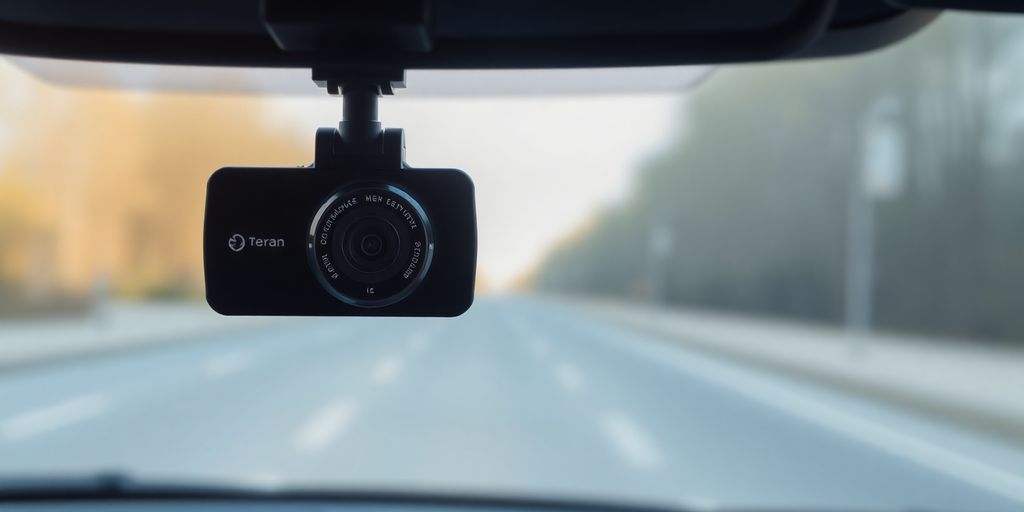
When you're looking for a dash cam, it's easy to get lost in all the different specs and features. But really, it boils down to a few key things that make a big difference in how useful the camera is. Think of these as the core, or essential dash cam capabilities, you absolutely need to consider.
Video Quality: Resolution and Frame Rate
This is probably the most important part. If the video is blurry or choppy, it's useless for proving anything. You'll want to look for at least 1080p Full HD resolution. This gives you enough detail to make out license plates and other important stuff, even if it's a bit far away. Some higher-end models offer 4K, which is even clearer, but it's not always necessary and can take up more storage space. The frame rate, measured in frames per second (fps), also matters. A higher frame rate, like 60fps, means smoother video, especially when things are happening quickly. A standard 30fps is usually fine, but 60fps is better if you can get it.
Field of View (FOV): Capturing More of the Scene
The field of view tells you how wide an angle the camera can see. A wider FOV means it captures more of the road and the sides. A good starting point is around 140 degrees. This usually covers both lanes in front of you and a bit of the sidewalks. If you go too wide, like 170 degrees or more, you might start to get some fisheye distortion, which can make things look a bit warped. It’s a balance between seeing more and keeping the image clear.
Night Vision and Low-Light Performance
Let's be real, accidents and incidents don't just happen when the sun is shining. You need a dash cam that can see clearly when it's dark, raining, or foggy. Look for cameras that specifically mention good low-light performance or have features like infrared LEDs. These help capture details like headlights, taillights, and road signs even in poor visibility. This is one of those must-have dash cam technology features that you really shouldn't skip if you do any driving at night. Many dash cams with night vision and motion sensors offer enhanced vehicle security and documentation.
G-Sensor: Automatic Incident Detection
This is a pretty neat feature. A G-sensor, or accelerometer, detects sudden impacts or braking. If it senses a crash, it automatically locks the current video file so it doesn't get overwritten by the loop recording. This means the footage of the incident is saved safely. It’s like the camera knows when something important has happened and protects that specific clip for you. It’s one of the top dash cam functions that provides peace of mind.
Loop Recording: Continuous Footage
Dash cams record video in segments, and when the memory card is full, they start overwriting the oldest footage. Loop recording is what makes this happen automatically. It ensures that you always have the most recent footage available without having to manually delete old files. You just need to make sure you have a decent-sized memory card so you don't run out of space too quickly. This is one of the most basic, yet important, dash cam capabilities.
When you're figuring out what to look for in a dash camera, think about your daily driving habits. If you mostly drive during the day on well-lit roads, maybe super-advanced night vision isn't your top priority. But if you commute early mornings or late evenings, it becomes much more important. It's all about matching the features to your actual needs on the road.
Here's a quick rundown of what to prioritize:
-
Resolution: Aim for at least 1080p.
-
Frame Rate: 30fps is okay, 60fps is better.
-
Field of View: Around 140 degrees is a good balance.
-
Low-Light: Look for specific features that improve night visibility.
-
G-Sensor: For automatic incident saving.
-
Loop Recording: Standard, but good to confirm it's there.
Advanced Features for Enhanced Safety and Convenience
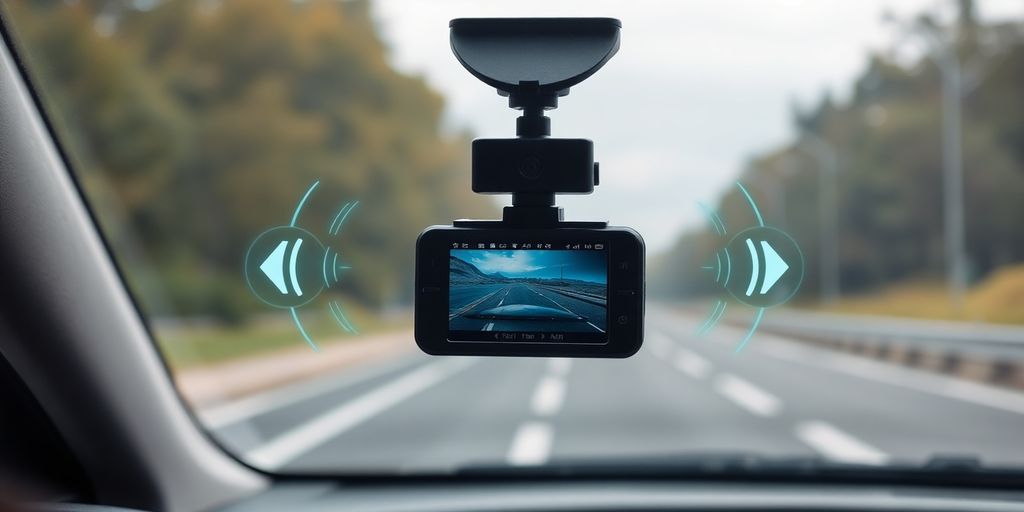
Beyond the basics, today's dash cams pack some pretty neat tricks to keep you safer and make life easier. Think of these as the "pro features" that really set a good camera apart.
GPS Logging: Tracking Location and Speed
This is super handy for a couple of reasons. First, it logs where and when an event happened. If you're in an accident, having precise location data can be a lifesaver for insurance claims or police reports. It also records your speed, which can be useful if you're ever pulled over and want to dispute a ticket – though remember, the dash cam's recording isn't legal evidence in itself, it's more for your own records. Many cameras offer this, and it's a solid addition if you do a lot of driving or travel to unfamiliar places. You can usually check the footage and the GPS data together on a companion app.
Parking Mode: Monitoring Your Vehicle When Off
Ever worry about what happens to your car when you're not around? Parking mode is the answer. When your car is parked and turned off, the dash cam can still record. Most systems use a motion detector or a "time-lapse" feature to save storage space. If someone bumps your car, keys it, or even just walks by, the camera wakes up and starts recording. This is a big one for peace of mind, especially if you park on busy streets or in less-than-ideal lots. You'll need to hardwire the camera to your car's battery for this to work, which might sound tricky, but many kits make it pretty straightforward.
Wi-Fi Connectivity and Mobile App Integration
This is where things get really convenient. Cameras with Wi-Fi let you connect directly to your smartphone. Why is this good? Well, instead of fiddling with SD cards, you can easily download footage straight to your phone. Need to share a funny road moment or evidence from an incident? Just grab it from the app. You can also often adjust camera settings and view the live feed through the app. It makes managing your dash cam footage so much simpler. Some of the top models, like the Viofo A329, come with dual-band Wi-Fi for faster transfers.
Voice Control and Other Smart Features
Some higher-end dash cams are starting to include voice control. Imagine being able to say "Take a picture" or "Start recording" without taking your hands off the wheel. It’s a nice touch for safety and convenience. You might also find features like lane departure warnings or forward collision alerts, similar to what you find in newer cars. While these aren't always perfect, they can add an extra layer of awareness. It's worth checking what "smart" features are included if you're looking for a camera that does more than just record.
These advanced features turn a simple recording device into a proactive safety tool. They offer ways to protect your vehicle when parked, provide detailed records of your journeys, and make accessing and sharing footage incredibly easy. It's about getting more value and security from your dash cam investment.
Wrapping Up Your Dash Cam Search
So, after looking at all the options, picking the right dash cam for your car doesn't have to be a headache. Think about what you really need – maybe it's just clear video of the road, or perhaps you want something that records inside the car too. Keep an eye on video quality, especially how well it works when it's dark out. Don't forget about storage; a good memory card is key. Whether you go for a well-known brand or a budget-friendly pick, the main thing is that it helps you feel more secure on the road. Take your time, compare a few models, and you'll find a dash cam that fits your driving life.
Frequently Asked Questions
What exactly is a dash cam?
A dash cam is like a small camera you stick on your car's window or mirror. It records what happens while you're driving. Think of it as a witness that's always watching, ready to capture any important moments or accidents.
Why should I put a dash cam in my car?
The main reason people get dash cams is for safety and proof. If you're in an accident, the video can show what really happened, which helps with insurance claims or if there's a disagreement. It can also protect you from fake claims or vandalism when your car is parked.
What are the most important features to look for?
When picking a dash cam, look for good video quality, like 1080p or even 4K, so you can see details clearly. It should also have a wide view to capture more of the road. Features like night vision are great for driving after dark, and a G-sensor helps save important videos automatically if there's a crash.
What is loop recording?
Loop recording means the camera keeps recording even when the memory card is full. It does this by automatically deleting the oldest videos to make space for new ones. This way, you don't have to worry about running out of storage during a long trip.
Can a dash cam record when my car is parked?
Yes, many dash cams have a parking mode. This lets the camera keep an eye on your car even when you've turned it off. If it senses a bump or movement nearby, it will start recording to catch any damage or vandalism.
What do GPS and Wi-Fi features do?
GPS logging records where and how fast you were driving. This extra information can be super useful if you need to prove your location or speed during an incident. Some cameras also connect to your phone via Wi-Fi, making it easy to view and share your recordings.